
Guia como começar Discord
Discord Start Guide
1. What is Discord?
Discord is a hub for "deep and focused dialogue." Unlike the fleeting nature of social media, it serves as our online base to share wisdom, learn together, and put teachings into practice.
Text Channels: Organized rooms (channels) for everything from lecture Q&A to daily reflections.
Voice Channels: Join live sessions, video lectures, or casual meetups in real-time.
Archives: Access past discussions and resources at any time.
2. Installation and Registration
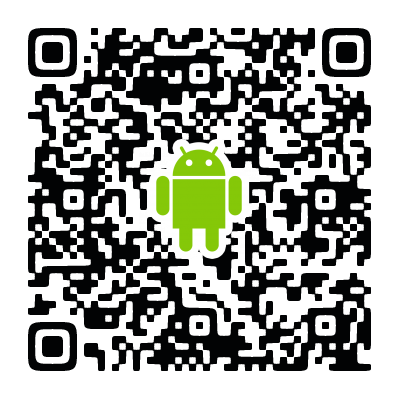
Smartphone: [Android Link] / [iPhone Link] (↓scroll down to the QR codes)
Desktop: [Download Link] / or access from your browser here
Steps:
Launch the app and click "Register."
Set your email, username, password, and birthday.
Click the link in the confirmation email sent to you to verify your account.
3. Joining the Server
Click the Invitation Link found on the school’s portal or in your "Welcome" email.
Click "Accept Invite" to enter the server.
4. Student Verification (Pending Approval)
Upon entry, you will only see the #verification channel.
Fill out the Form: Click the Google Form link in #verification.
Wait for Approval: Our team will manually review your info and assign the "Student" role.
Notification: Once approved, you will be notified, and all community channels will appear!
5. First Steps
Read #rules: Understand our guidelines for maintaining a healthy community.
Introduce yourself in #introductions: Share your background and what you hope to learn. Our members are waiting to welcome you!
Significance and How to Use This Community
■ Why We Have a "Verification Process" (Safety and Respect)
In this community, we share wisdom rooted in the Brazilian Kilombo and special knowledge passed down from the Mestres. These are not merely pieces of information, but living cultural heritages that must be respected. To protect these precious teachings within a trusted circle of limited members and to explore them deeply, we have intentionally established a manual "Verification Process." We appreciate your understanding of this step as a way to maintain the purity of this space.
■ Expanding the "Learning Ecosystem" with Discord By using Discord in conjunction with the online school’s lecture videos, your learning experience will become more multi-dimensional.
Instant Access to Archives: Past class streaming links are organized for you to review at any time.
Announcements for Events & Study Groups: Receive real-time updates on flash study sessions and the latest event information.
Deep Interaction and Practice: By posing questions from the lectures and engaging in dialogue with peers during meetups, you can reach a level of understanding that is impossible to achieve alone.
Scan to download for your Android:
Scan to download for your iPhone: